

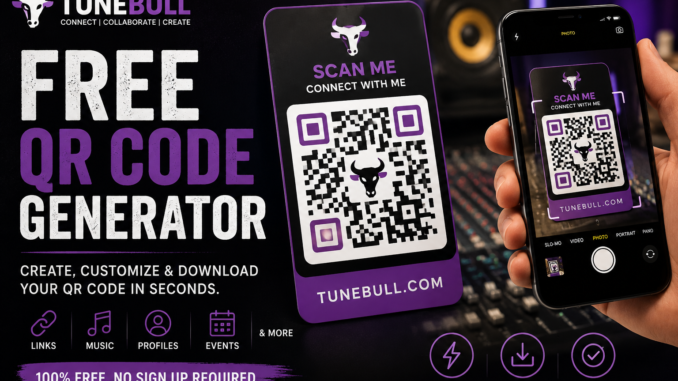
How to Generate a Free QR Code Online
QR codes have become one of the easiest ways to connect the physical world to the internet.
Whether you’re an independent artist promoting a new song, a business owner sharing your website, a creator growing your social media, or simply someone who wants to make a link easier to access, a QR code can turn almost any URL into something people can scan instantly with their phone.
And you don’t necessarily need to pay for one.
With the free QR Code Generator on TuneBull, you can quickly create a QR code in the “tools” section that directs people to your website, music, social media page, event, product, or other online destination.
In this guide, we’ll explain what a QR code is, how QR codes work, how musicians can use them, and how to generate a free QR code online using TuneBull.
What Is a QR Code?
A QR code, short for Quick Response code, is a scannable graphic that can contain information such as a website URL.
Instead of asking someone to manually type a long web address into their browser, you can give them a QR code.
They scan it with their smartphone camera and can quickly access the destination.
For example, instead of printing:
“Go to my website and search for my new single.”
You could create a QR code that takes fans directly to the page where they can listen.
One scan.
One destination.
Less friction.
How to Generate a Free QR Code Using TuneBull
Creating a QR code doesn’t have to be complicated.
TuneBull provides a free online QR Code Generator that makes it easy to turn your link into a scannable QR code.
Here’s how to do it.
Step 1: Visit TuneBull
Go to TuneBull.com and access the free QR Code Generator.
TuneBull is an online platform built for independent artists, producers, musicians, and other creators, with tools designed to make common music-business and promotional tasks easier.
Step 2: Choose the Link You Want People to Visit
Before generating your QR code, decide exactly where you want people to go.
This could be your:
- Website
- Spotify song or artist page
- Apple Music page
- YouTube video
- Instagram profile
- TikTok profile
- TuneBull profile
- Online store
- Event page
- Mailing-list signup
- Music video
- New album or EP
- Merchandise store
- Electronic press kit
Copy the URL for the destination.
Step 3: Enter Your URL
Paste the link into TuneBull’s free QR Code Generator.
Make sure the URL is correct before generating your code.
A QR code is only useful if it sends people to the right destination.
Step 4: Generate Your QR Code
Once your information has been entered, generate the QR code.
TuneBull will turn your URL into a scannable QR code that you can use to connect people directly to your online content.
Step 5: Test Your QR Code
This step is extremely important.
Always test a QR code before publishing or printing it.
Open the camera on your phone and scan the code.
Verify that it directs you to the correct page.
If you’re planning to print hundreds of flyers, posters, business cards, stickers, or merchandise items, test the final printed version before producing them in bulk.
A QR code pointing to the wrong URL can be an expensive mistake.
Why Should Musicians Use QR Codes?
For independent musicians, QR codes can be especially useful because music promotion happens both online and offline.
You might meet a potential fan at a show.
Someone might see your flyer at a coffee shop.
A DJ might receive your business card.
Someone could notice a sticker on your merchandise.
Instead of expecting that person to remember your artist name and search for you later, a QR code can give them an immediate action to take.
Scan. Click. Listen.
The easier you make the process, the better.
Put a QR Code on Your Music Flyers
Imagine you’re promoting an upcoming show.
Your flyer contains:
Artist Name
Venue
Date
Time
Ticket Information
You could also include a QR code with:
“SCAN TO GET TICKETS”
Someone sees the flyer, scans the code and can immediately reach the ticket page.
The same strategy can be used for a new single.
Instead of putting a long Spotify or YouTube URL on the flyer, use:
“SCAN TO LISTEN”
followed by your QR code.
That’s cleaner and easier for the person seeing your promotion.
Use QR Codes at Live Shows
Live performances are another great opportunity for artists to use QR codes.
The people attending your show are already interested in music.
Give them an easy way to continue engaging with you after you leave the stage.
You could display a QR code on:
Merchandise tables
Posters
Banners
Table cards
Stage displays
Business cards
Stickers
Digital screens
The QR code could direct fans to your music, social profiles, mailing list, merchandise, or a landing page containing all of your important links.
Use QR Codes to Grow Your Social Media
You can also create QR codes for your social media profiles.
For example:
“Follow Me on Instagram”
“Follow Me on TikTok”
“Subscribe on YouTube”
“Connect With Me on TuneBull”
Place the corresponding QR code underneath the call to action.
This can be especially useful at networking events, conferences, live shows, recording studios, pop-up events, and music festivals.
Instead of spelling your username to someone, they can simply scan your code.
Put QR Codes on Your Merchandise
Merchandise doesn’t have to stop promoting you after someone purchases it.
A QR code can turn merchandise into an interactive marketing tool.
Consider adding QR codes to:
T-shirts
Hats
Stickers
Postcards
Album packaging
Vinyl inserts
CD packaging
Promotional cards
A creative artist could even create exclusive content specifically for people who scan a QR code from a particular product.
For example:
“SCAN FOR AN UNRELEASED SONG.”
Now the QR code isn’t merely a link.
It becomes part of the fan experience.
QR Codes for Producers
Artists aren’t the only music creators who can benefit from QR codes.
Music producers can use them too.
A producer could generate a QR code directing people to a:
Beat store
Producer portfolio
TuneBull profile
Instagram account
YouTube channel
Beat playlist
Contact page
Studio booking page
Put the QR code on a business card and suddenly a small piece of paper can lead someone directly to your entire production catalog.
QR Codes for Businesses and Creators
Although TuneBull is focused on the music community, QR codes aren’t limited to musicians.
Virtually anyone who needs to share a digital destination can use them.
Businesses can create QR codes for:
- Restaurant menus
- Google review pages
- Websites
- Appointment booking
- Product pages
- Promotions
- Coupons
- Social media
- Contact information
- Event registration
- Email signup pages
Content creators can use QR codes to promote channels, newsletters, products, courses, portfolios, and other digital destinations.
Where Should You Put Your QR Code?
Placement matters.
Don’t hide your QR code in a place where nobody will notice it.
Give people a reason to scan.
Instead of displaying a QR code by itself, combine it with a strong call to action.
For example:
SCAN TO HEAR MY NEW SONG
SCAN FOR FREE MUSIC
SCAN TO FOLLOW ME
SCAN TO BUY TICKETS
SCAN TO WATCH THE VIDEO
SCAN TO JOIN MY MAILING LIST
SCAN TO VIEW MY PROFILE
People are more likely to take action when they understand what will happen after they scan.
Don’t Make Your QR Code Too Small
If you’re using a QR code on printed promotional materials, make sure people can actually scan it.
Consider the distance from which someone will encounter the code.
A QR code on a business card will be viewed from close range.
A QR code on a large concert poster may be scanned from several feet away.
A QR code on a billboard would require an entirely different approach.
Always test your QR code under conditions similar to how your audience will encounter it.
Use QR Codes as Part of Your Music Marketing Strategy
A QR code isn’t a marketing strategy by itself.
It’s a tool.
The strategy comes from where the QR code sends people and what happens when they arrive.
For example, instead of sending everyone directly to one streaming platform, you might send them to a landing page where they can choose between Spotify, Apple Music, YouTube, and other platforms.
Or you could send fans to a page that encourages them to join your email list.
Think about the action that is most valuable to your music career.
Then build your QR strategy around that action.
Turn Offline Attention Into Online Fans
One of the biggest advantages of QR codes is their ability to turn real-world attention into online engagement.
Imagine someone sees your poster.
Without a QR code, they might think:
“I’ll look that artist up later.”
Then they forget.
With a QR code:
They see you.
They scan.
They’re on your page.
That’s a much shorter journey.
For independent artists who are constantly trying to turn listeners into followers and followers into fans, reducing those extra steps can make a difference.
Create Your Free QR Code With TuneBull
You don’t need complicated software to start using QR codes in your music promotion.
With TuneBull’s free QR Code Generator, you can turn your URL into a scannable QR code and start using it to promote your music, website, social media, events, products, and more.
Whether you’re an independent artist, music producer, songwriter, content creator, or business owner, QR codes provide a simple way to connect people with your digital content.
Visit TuneBull.com and use the free QR Code Generator to create your QR code.
Then put it somewhere people will see it.
One scan could become your next listener, follower, customer, or fan.